
Layer 01
The Task
The complete workflow from start to finish. Represents a broad goal or a specific business process like "Onboard a new employee".
Example: Employee Onboarding Flow
Tasker lets you break work into tasks, steps, and components — then run those workflows with built-in AI where it helps.
Level 1: Task
Do Market Analysis For a Product Idea
Level 2: Step
AI Analysis
Level 3: Component
Extract Themes
See Tasker in action
Tasker models work as a hierarchy — from broad goals down to individual interactive elements.
The complete workflow from start to finish. Represents a broad goal or a specific business process like "Onboard a new employee".
Example: Employee Onboarding Flow
A discrete stage within a Task. Steps are logical checkpoints that require specific inputs to proceed.
Example: Collect Identity Documents
The fundamental interactive unit. Components handle specific data types, user interactions, or API triggers.
Example: Passport File Upload
Every component is a typed JSON definition. The runner renders it through an executor registry — which is exactly what lets the AI copilot generate whole workflows safely. Here is that same code, live:
{
  "id": "viabilityGauge",
  "name": "Viability",
  "family": "output",
  "type": "score-gauge",
  "sourceId": "analysis",
  "fieldPath": "viability",
  "label": "Market viability",
  "caption": "0-100, higher = stronger opportunity",
  "max": 100,
  "color": "primary"
}
A number in a record becomes a labelled radial gauge — no chart code, just a typed binding.
Market viability
A typical three-step flow from upload to output.
Drag & drop or browse
Extracting key themes… 78%
Every feature is designed to make complex processes legible, repeatable, and easy to maintain.
Compose workflows from reusable blocks instead of one-off scripts.
Embed analysis and summarization directly inside each step.
Track completion at the task, step, and component level.
Pick from a growing set of input, search, and processing components.
Access sample workflow templates and run them in the gallery to see the task, step, and component model in action.
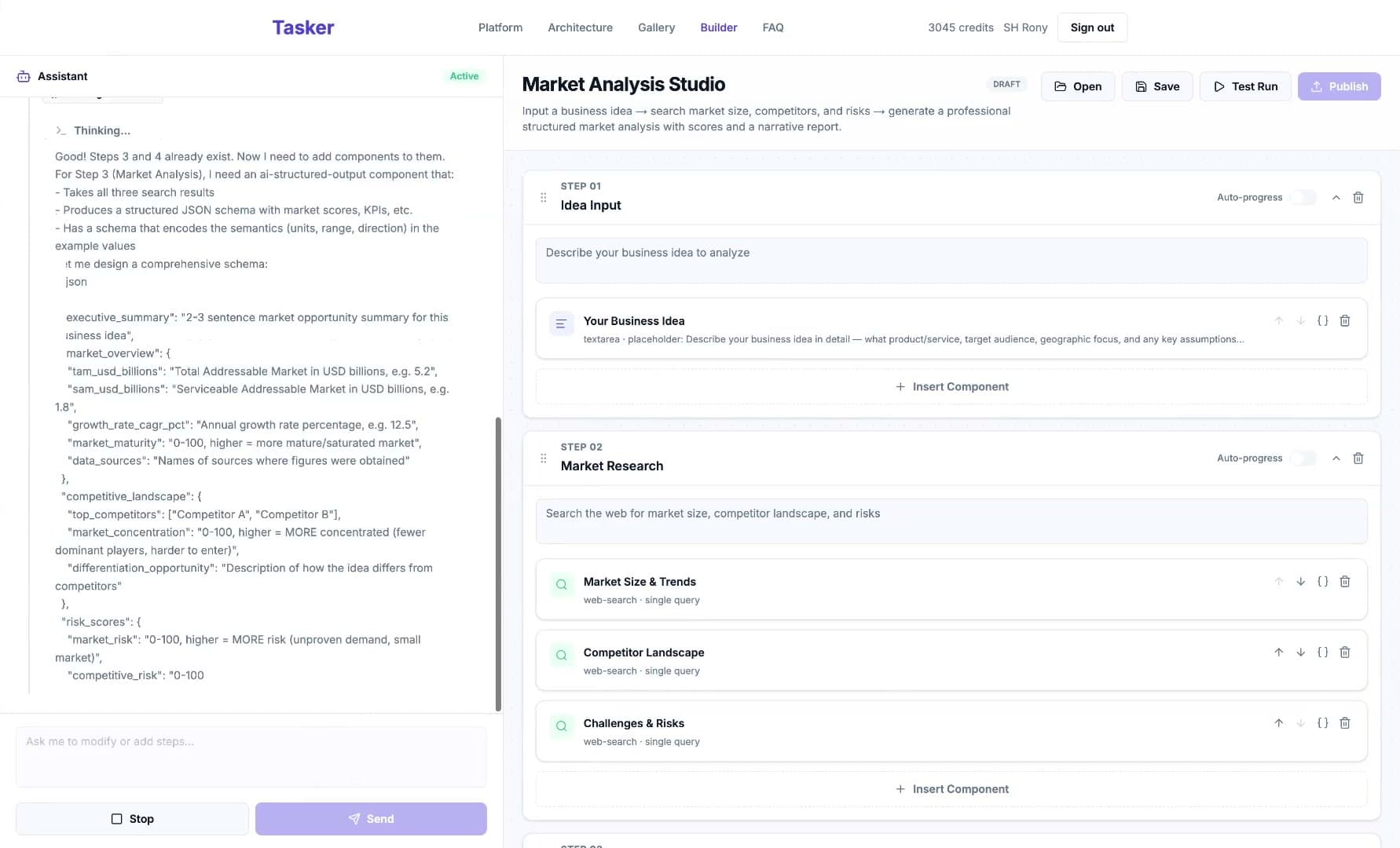
Browse TemplatesDescribe what you need and the builder's assistant drafts it with you — no blank-canvas problem.
A streaming copilot reads your workflow and adds, rewires, and validates steps through tool calls — every change lands in the live draft, and you stay in control.
Compose steps from typed components while the JSON config panel stays in sync — edit whichever side is faster.
Execute the draft end to end to verify inputs, AI steps, and outputs before you publish.
Explore the gallery and run a sample task in minutes — no setup required.